Ableton Live is worth it when its nonlinear writing, warping, resampling or performance workflow saves time in work you repeat. It is a weaker purchase when you record and edit almost entirely on a linear timeline, already finish projects comfortably in another DAW, or cannot name a Live-specific problem you need to solve. My recommendation is to finish one small project in the official Trial before choosing an edition.
The current Live 12 Trial provides the full features of Suite for 30 days, requires no payment card and allows saving and exporting while the Trial is active. That is enough time to test the workflow with your own interface, plug-ins and project type instead of judging it from a feature list.
Quick verdict by scenario
| Your situation | Verdict | What to test first |
|---|---|---|
| You write by launching loops, takes and variations | Usually worth testing seriously | Build in Session View, then record the performance into Arrangement |
| You remix, warp or resample audio often | Strong potential value | Complete one tempo-changing audio task from import to export |
| You perform with stems, scenes or controllers | Can justify Live on workflow alone | Build a small recovery-safe performance Set |
| You produce on a linear timeline and like your current DAW | Probably not worth switching yet | Identify one repeated task Live completes with fewer steps |
| You are a beginner choosing a first DAW | Worth considering; Suite is not required | Finish a short song before buying |
| Your collaborators exchange native projects in another DAW | Switching cost may exceed the benefit | Test stems, plug-in compatibility and revision handoff |
The real differentiator is Session View plus Arrangement View
Ableton describes Session View as a timeline-free space for combining musical ideas and Arrangement View as the linear timeline. Live can record a Session performance directly into Arrangement. That handoff is the clearest reason to choose Live: you can explore combinations without committing to a song order, perform the choices, then edit the result as a fixed production.
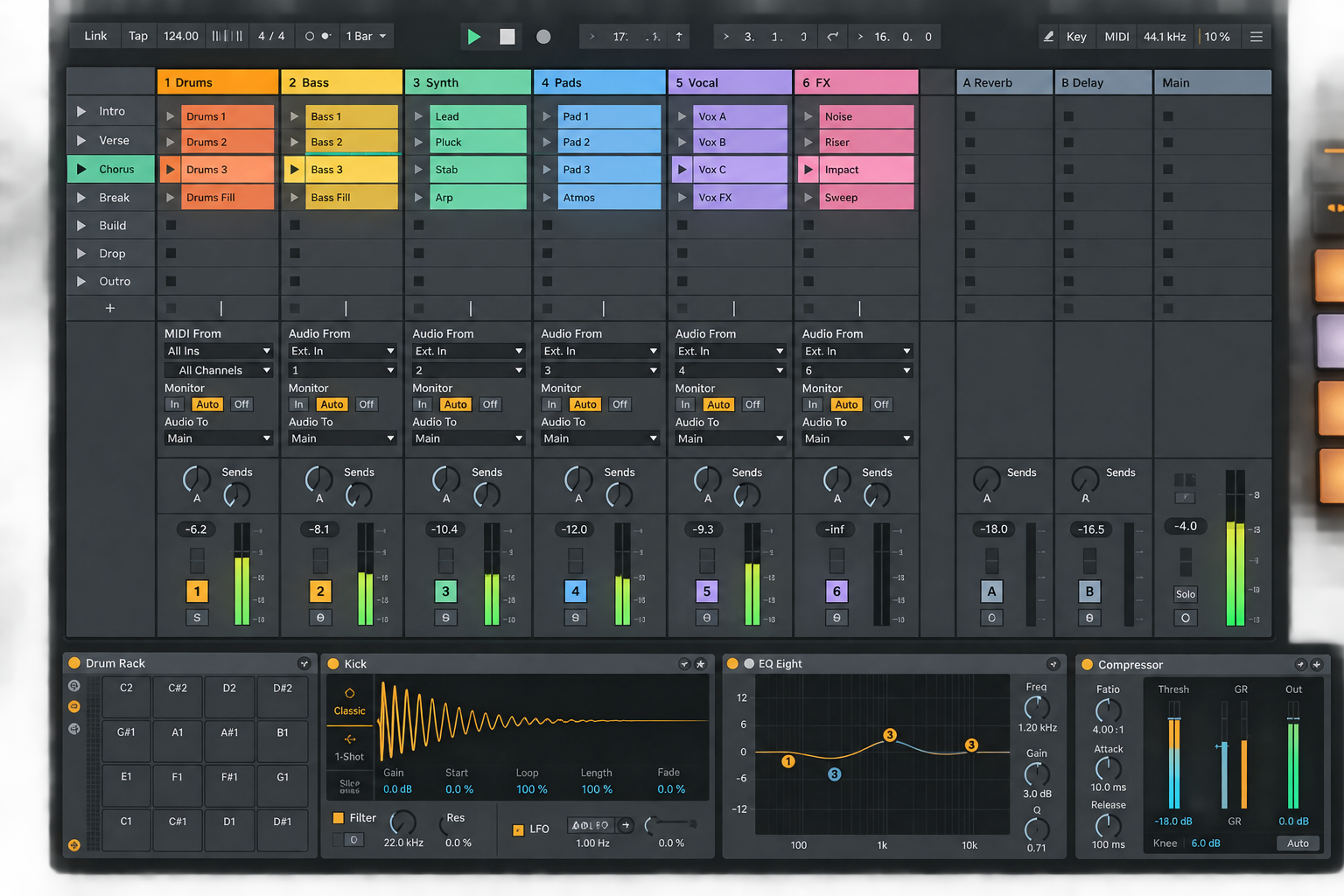
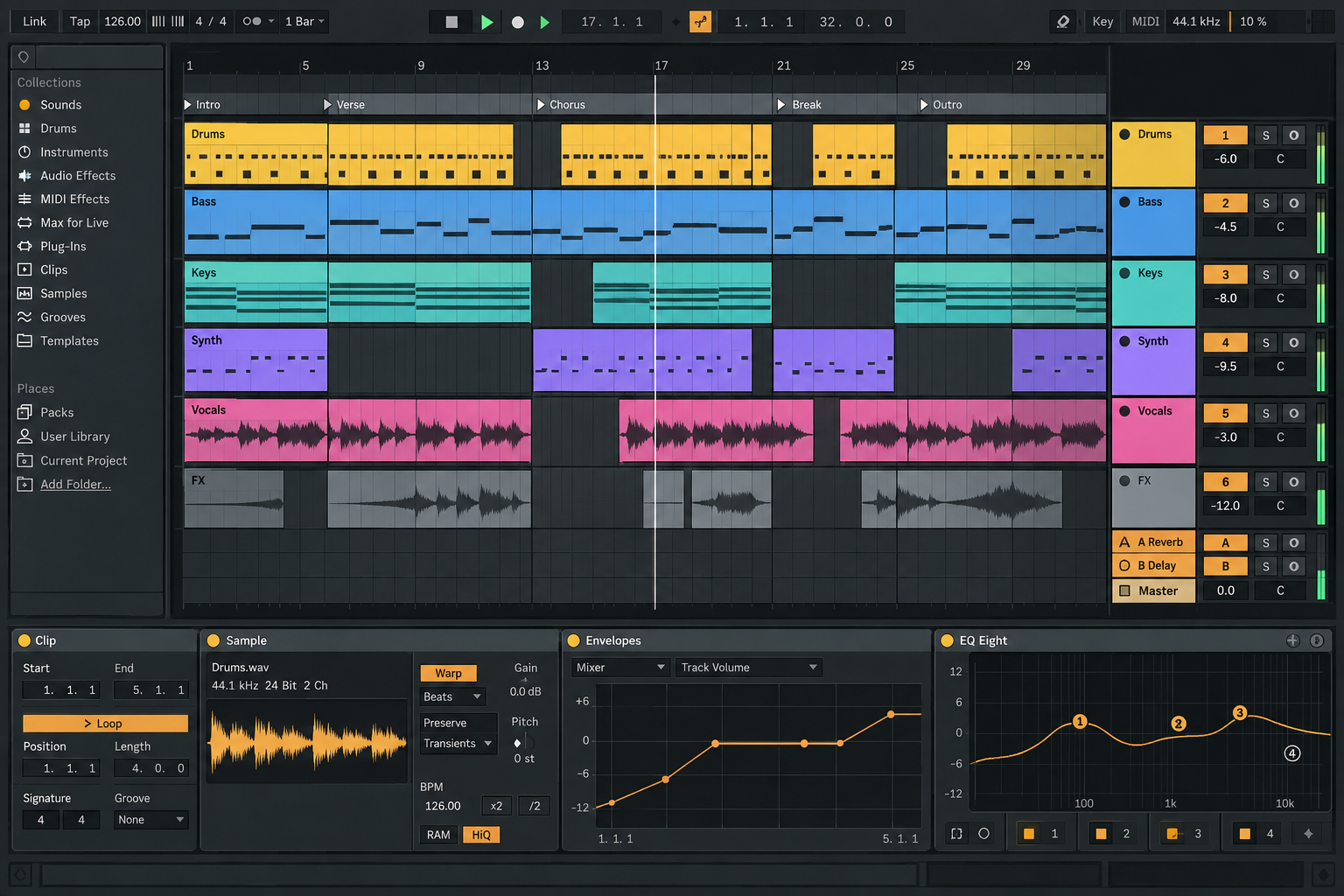
If you enjoy that loop, Live can remove the gap between improvisation and arrangement. If you keep avoiding Session View and work from bar one to the end, you may be paying for a second mental model. The Session View versus Arrangement View guide explains the mechanics; this purchase decision asks whether the handoff helps you finish.
Live earns its price in repeated jobs
Look for a benefit that appears every week, not an impressive feature you might use someday.
- Clip-based writers can audition variations and scenes before fixing the arrangement.
- Remixers and sample-based producers can use Live's warping workflow to control audio timing and tempo in real time.
- Performers can keep production material, scenes, mappings and stems in one environment.
- Sound designers can combine routing, resampling, racks and modulation without moving between several applications.
- Hardware users can sequence MIDI, record audio and map controllers inside the same Set.
- Custom-tool users can justify Suite when Max for Live solves a named recurring task.
For stage work, build the small project in the Ableton performance Set guide. A dependable performance workflow can repay Live even when another DAW remains better for studio editing.
Live is not a necessary switch for every producer
Stay with another DAW when it already handles your repeated work with less friction. That is especially reasonable for band tracking, take editing, notation, post-production or native collaboration built around another platform. The fact that many electronic producers use Live does not make switching productive.
Mac users deciding between two different studio models can use the Ableton versus Logic Pro comparison. Pattern-first producers can use the Ableton versus FL Studio guide. Live is only “better” when its workflow matches the work being judged.
Choose the smallest edition that clears a real limit
The current official edition comparison lists Intro at 16 audio/MIDI tracks, 16 scenes and two return tracks. Standard and Suite have unlimited tracks and scenes with 12 returns. The listed sound libraries are 5+ GB, 38+ GB and 71+ GB respectively. Max for Live is included with Suite and is not included with Intro or Standard in that table.
| Edition | Best fit | Reason to move higher |
|---|---|---|
| Intro | Small projects that fit 16 tracks and two returns | A repeated project exceeds those limits or needs a named Standard feature |
| Standard | Full production without a fixed track ceiling | You repeatedly need Suite instruments, effects, sounds, Max for Live or another Suite-only tool |
| Suite | Users who can name the included tools replacing other purchases | No higher Live edition; the question becomes whether the extra content is actually used |
Standard is the safer general recommendation for a producer whose real projects outgrow Intro. Suite is not a badge of seriousness. List the devices used in two completed Trial projects and mark them essential, replaceable or unused. Buy Suite only when the essential column contains Suite-only tools often enough to justify the difference. For a detailed feature decision, use the Standard versus Suite guide.
Price is only the first line of the cost
On 2026-09-22, the public Ableton shop displayed regional prices of EUR 79 for Intro, EUR 279 for Standard and EUR 599 for Suite. Google could not determine the research location, so these figures are a dated regional snapshot rather than US pricing, a tax-inclusive total or a promised checkout price. Registered owners must sign in to see personal upgrade offers.
The shop currently presents rent-to-own for Suite, not Intro or Standard. Payments count toward ownership under the displayed terms, so it is different from an indefinite software subscription. The duration and monthly amount can vary by offer and region; check the current signed-in terms rather than relying on somebody else's screenshot.
Eligible students and teachers should also check Ableton's current 50% education discount on new licenses. The page says it applies to new Intro, Standard or Suite licenses and not to upgrades.
Count switching and collaboration costs
The license price is visible. Migration cost hides in rebuilt templates, new shortcuts, missing devices, changed sample locations, controller mapping and stem exports for collaborators. Add those costs before calling a sale a bargain.
Subtract tools Live genuinely replaces. If native devices, warping, routing and performance features remove several plug-ins or a second performance host, the effective cost falls. If you immediately need a large third-party bundle to recreate your previous DAW, the effective cost rises.
Collaboration can dominate the calculation. Exchanging stems is workable, but it loses native editing and increases version-management work. If your team exchanges complete projects in Logic, FL Studio, Pro Tools or Cubase, one person's workflow gain can create several people's handoff cost.
Run this seven-day decision exercise
- Day 1: install and authorize the Live 12 Trial; connect the interface and controller you actually use.
- Day 2: build eight bars in Session View from your own material.
- Day 3: record or move the idea into Arrangement and complete the structure.
- Day 4: record or edit one real audio source and one MIDI instrument.
- Day 5: mix with native devices first and note each missing capability.
- Day 6: export, reopen the Set and test the collaborator or performance handoff.
- Day 7: compare repeated steps, failures and required paid extras with your current DAW.
Score composition speed, editing confidence, sound/routing fit, stability on your machine and delivery/performance fit from zero to two. Eight to ten supports buying; five to seven supports more testing or a smaller edition; zero to four means the switch lacks evidence. This is an editorial decision aid, not a benchmark or universal DAW ranking.
Pros and cons that matter
| Advantages | Costs and limits |
|---|---|
| Fast nonlinear sketching and performance | Session View adds a second workflow to learn |
| Strong timing, warping, resampling and routing | Value drops if those jobs are rare |
| Session ideas can become a linear arrangement | Native-project collaboration may require a team switch |
| One environment can serve studio and stage work | Edition and Suite content can encourage overbuying |
| Trial allows a real project before purchase | Plug-in, hardware and OS compatibility still need local verification |
Performance also belongs in the verdict. Test a realistic Set at the sample rate and buffer you require, then reopen it. CPU use comes from the loaded instruments, effects, routing and buffer—not from a larger sound library merely existing on disk. Sample instruments and other open applications affect memory pressure. The Live 12 setup guide keeps the first project small enough to identify the real bottleneck.
Final verdict
Ableton Live is worth buying when the same advantage appears across several completed sessions: faster variation, a clean move from improvisation to arrangement, reliable audio timing and resampling, or one Set that works in the studio and on stage. It is not worth buying because Suite is large, a sale creates urgency or switching feels like progress.
Finish one small Trial project, record the friction you removed and choose the smallest edition that clears the limits you actually reached. Then use the Choose Ableton Live hub for the narrower edition or competitor decision.
FAQ
Is Ableton Live worth it for beginners?
Yes, when clip-based writing, warping or performance matches the beginner's goal. Start with the full Trial and finish one short project before buying. A beginner does not need Suite by default.
Is Ableton better than FL Studio?
Neither is universally better. Live has a strong Session-to-Arrangement and performance workflow; FL Studio suits many pattern-first producers. Compare the repeated tasks you perform, not the total feature count.
Does Ableton Live require a monthly subscription?
A regular new license is sold as a license purchase. The public shop also offers a Suite rent-to-own plan in eligible cases, where payments count toward ownership. Current availability and terms depend on the offer and region.
Is Ableton Live better on Mac or PC?
The workflow is available on both supported platforms. The practical choice depends on your audio interface, plug-ins, controller drivers, operating-system compatibility and the performance of your own realistic Set.