Choose Ableton Live Lite if your projects fit eight audio and MIDI tracks combined. Choose Intro when you need nine to sixteen combined tracks or a specific Intro device such as Drum Sampler or Auto Shift. If sixteen tracks already look restrictive, compare Standard before paying for an intermediate step.
| Decision | Live 12 Lite | Live 12 Intro |
|---|---|---|
| Audio and MIDI tracks combined | 8 | 16 |
| Scenes | 16 | 16 |
| Return tracks | 2 | 2 |
| Included content | 1.3+ GB | 5+ GB |
| Named additions in Intro | — | Drum Sampler, Auto Shift |
| How you get it | Bundled with qualifying hardware or apps | Sold as a standalone edition |
Ableton's current four-edition comparison lists the 8-versus-16 track limits, 16 scenes and two return tracks for both entry editions. These are edition allowances, not performance promises. A heavy instrument can stress a computer more than several plain audio tracks.
Count the tracks in the project you want to finish
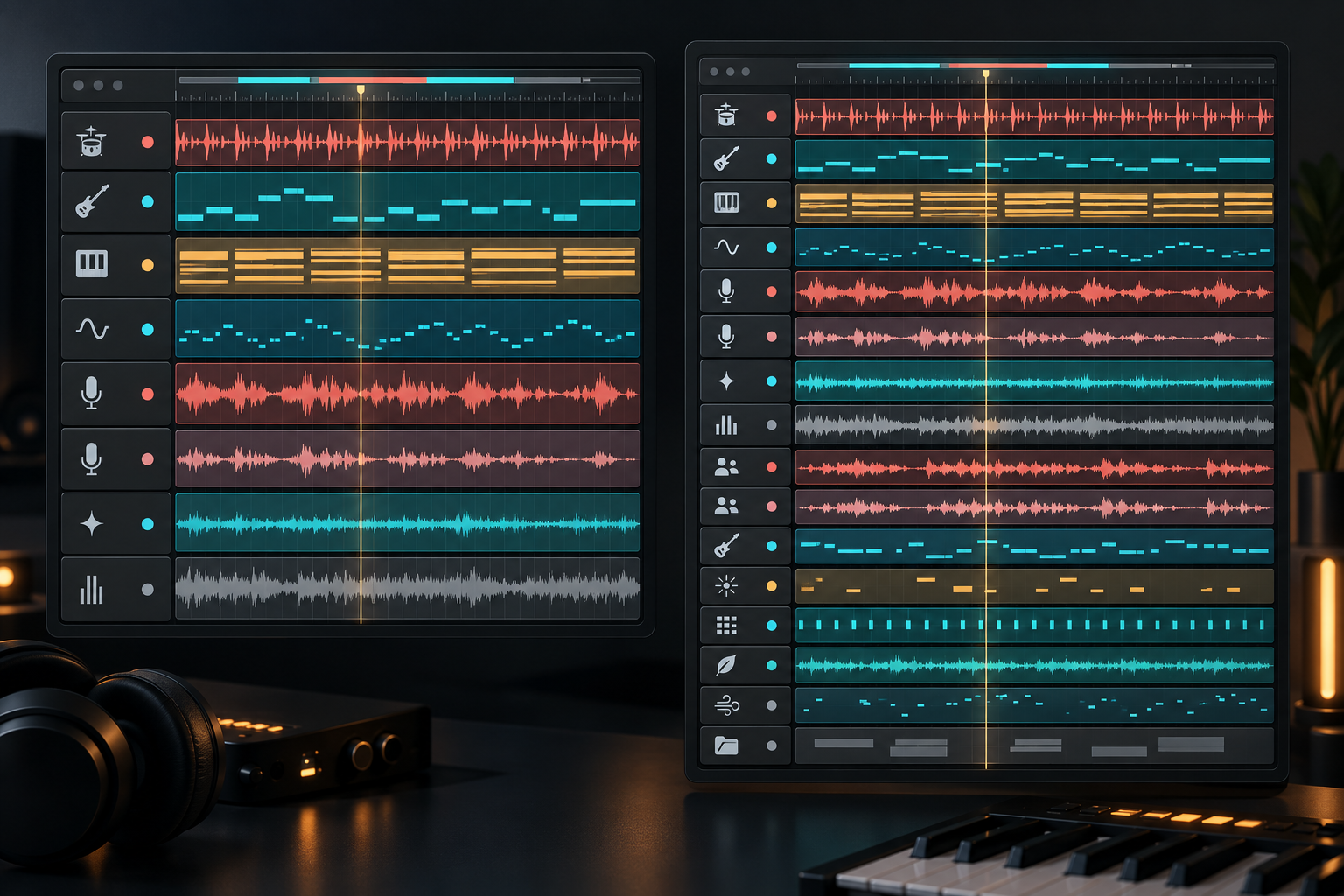
The simplest decision is a track list. Imagine a compact production with drums, bass, chords, lead, main vocal, vocal double, texture and a reference track. That fills Lite's eight slots. Two harmony tracks take the plan to ten, which fits Intro.
The total is shared between audio and MIDI. Lite does not give you eight audio tracks plus eight MIDI tracks. Intro does not give you sixteen of each. A Drum Rack can hold many drum sounds on one MIDI track, but it still occupies one of the edition's track slots.
I would not upgrade because a future project might become large. Upgrade when a useful ninth track keeps appearing, or when you repeatedly commit parts earlier than the music requires. The limit should show up in the work, not in anxiety about a feature list.
Bouncing helps, but it is not extra track capacity
You can render several parts into one audio file, remove their source tracks from the working Set and recover slots. That is a valid Lite workflow when the source parts are settled. Save a separate editable version and collect the project media before removing anything.
Freezing solves a different problem. It can reduce processing demand while keeping the track in the Set, so it does not turn eight tracks into nine. Muting or hiding a source also does not change the edition allowance. Our Freeze, Flatten and Bounce guide explains which commitment each method makes.
Racks can make a compact Set more capable. A Drum Rack keeps multiple one-shot sounds inside one MIDI track, and an Instrument Rack can organize layered or split sounds. That efficiency is useful; it should not become a reason to squeeze every unrelated musical part into one track.
Intro adds room and a few meaningful tools
The current four-edition table lists five software instruments in Lite and eight in Intro, with 16 versus 27 audio effects and 10 versus 12 MIDI effects. Aggregate counts are a poor purchase test because a single required device can matter more than ten devices you never use.
Two current named differences are easier to judge. Ableton's comparison marks Drum Sampler and Auto Shift as available in Intro and unavailable in Lite. Drum Sampler is aimed at shaping one-shot samples. Auto Shift handles real-time pitch tracking and correction for monophonic material. Buy for one of those tools only if it replaces a real gap in your workflow.
Lite already includes core devices such as Drum Rack, Simpler and Drift in the same official table. Both entry editions retain the central Live workflow, so learning Session View, Arrangement View, MIDI editing, automation and routing in Lite is not wasted time.
A larger library does not create a fixed RAM or CPU penalty
Lite includes 1.3+ GB of presets, samples and loops; Intro lists 5+ GB. That difference mainly affects download size and disk storage. Live does not load the entire installed library into memory whenever you open a Set.
RAM and CPU depend on the samples, plug-ins, devices and clips that the project actually loads. A Lite Set with a large third-party sampler can use more memory than a small Intro Set. A processor-heavy synthesizer can cost more CPU than several audio tracks. If performance is the problem, use the Ableton CPU overload checklist rather than treating an edition upgrade as a computer upgrade.
Lite is a bundled license, not an unrestricted free download
Ableton's Lite registration guidance explains that qualifying hardware and apps supply a serial that must be registered to an Ableton account. Lite is not sold as a standalone edition. If you already have a serial, register it before comparing paid options.
A registered older Lite license may qualify for the current Lite generation under Ableton's Live 12 Lite guidance. Ableton Note can also provide Lite under the conditions in the Note FAQ; Note is a separate purchase, not a general free-Lite loophole.
Do not buy unrelated hardware solely to obtain Lite. A bundled license improves the value of a controller or interface you already need. If the hardware itself is unnecessary, compare the direct software options.
Check the shop while signed in
Ableton's public shop displayed EUR 79 for a new Intro license during this research on September 22, 2026. That observation is regional, and the shop tells existing owners to sign in to see their available upgrade options. Currency, taxes, promotions and the licenses registered to the account can change the final offer.
For that reason, there is no reliable universal “Lite-to-Intro price” to print here. Compare the signed-in Intro and Standard offers on the same day. If you expect to move beyond sixteen tracks soon, the direct Standard option may make more sense than relying on a future upgrade price that has not been quoted.
Ableton's public pages disagree on Intro audio I/O
This matters only to people recording or routing many channels at once, but it is a real conflict. The four-edition Upgrade Live table lists 16 mono inputs and 16 outputs for Intro. The three-edition Compare Live page lists eight inputs and eight outputs.
Do not buy Intro on the assumption that the higher number is guaranteed. If your setup needs more than eight simultaneous mono channels, ask Ableton to confirm the current limit for your exact version and workflow. Track allowance and physical interface capacity are separate questions: owning a 16-input interface does not remove a software-edition routing limit.
When to keep Lite, buy Intro or compare Standard
- Keep Lite when eight combined tracks, 16 scenes, two returns and the available devices cover the project. Use racks and occasional bouncing when they fit the music rather than fight it.
- Choose Intro when nine to sixteen tracks or a confirmed Intro device solves the current limitation. Check the signed-in price and do not treat the larger library as proof of higher computer requirements.
- Compare Standard when the project already needs more than sixteen tracks, or when a required editing or conversion feature is absent from Intro. Ableton's comparison lists unlimited edition track and scene allowances for Standard, subject to the computer's real capacity.
If Standard is now part of the decision, the Standard versus Suite comparison separates production capacity from Suite-only devices and content. The Choose Ableton Live hub connects the edition and DAW comparisons.
Questions about Live Lite and Intro
Is Ableton Live Lite worth using?
Yes, when the intended work fits eight combined audio/MIDI tracks and Lite's device set. It teaches the same central Live workflow and does not need to be replaced merely because Intro exists.
What are the main limitations of Live Lite?
The clearest current limits are eight combined audio/MIDI tracks, 16 scenes, two return tracks, eight mono inputs and outputs, and a smaller included device and content set. A missing ninth track is usually more decisive than the library total.
What is the main difference between Lite and Intro?
Intro doubles the combined track allowance from eight to sixteen and adds more included devices and content. It does not increase the 16-scene or two-return limits shown for Lite.
Should a beginner choose Lite, Intro or Standard?
Start with Lite when it is already bundled and the project fits. Buy Intro for a demonstrated nine-to-sixteen-track need or a named Intro device. Compare Standard directly when sixteen tracks or Intro's feature set would remain a constraint.