Short answer: the Live 12 Trial gives you Suite for 30 days from authorization, with saving and audio export enabled. You need an Ableton account and online activation, but no payment card. At expiry, saved Sets remain available; saving and exporting stop. Save the editable project and preserve any sounds that depend on devices your intended paid edition does not include.
Checked September 5, 2026: download the Mac or Windows installer from the official Live Trial page. It currently offers 30 days, not the 90 days mentioned in older promotions. If you are deciding what to buy afterwards, the Standard versus Suite comparison focuses on the differences between those editions.
What the Live 12 Trial includes now
| Question | Current answer | Practical meaning |
|---|---|---|
| Edition | Live 12 Suite Trial | You can test Suite-only instruments, effects, sounds and Max for Live |
| Duration | 30 days from authorization | Downloading alone does not start the authorized period |
| Payment card | Not required | No automatic charge at expiry |
| Save | Enabled during Trial | Save named versions before the last day |
| Export | Enabled during Trial | Print mixes and stems while devices are authorized |
| After expiry | Open Sets; no save/export in Trial | Saved files remain; changes cannot be saved or exported from the expired Trial |
The trial installer is separate from a paid Live installer. Ableton's post-trial purchase guide says a purchased serial cannot authorize the Trial installation. Download, install and authorize the paid edition separately, then open the saved Set there.
Start the 30 days when you can actually test
Download first, then authorize when you have time to use the Trial. Open the application, choose Start your free trial, and sign in to an existing Ableton account or create one. The browser authorization starts the countdown. Before that step, check the current system requirements and your interface driver. The Live 12 setup checklist covers the first working audio/MIDI project.
Choose a project you can finish during the test: record a voice or instrument, build a short Session idea, arrange it and export it. The seven-day workflow test helps you decide whether Live is worth buying for your work. Install a Pack only when that project needs it. Keep a note of the devices you actually use; that list will be more useful when choosing an edition than the number of presets you browsed.
If Trial authorization fails
The Trial installation instructions state two limits: the Trial can only be used once, and it cannot be authorized offline. Reinstalling is not a new evaluation period. Trial users can use Max for Live and available Trial Packs, but cannot buy webshop Packs for use with the Trial.
If the browser handoff fails, try another browser, such as Firefox, following Ableton’s authorization troubleshooting. Check that you opened the Trial application and signed in to the intended account. The generic guide also mentions offline authorization for paid Live; that option does not apply to Trial. If the error persists, keep its exact wording for Ableton Support.
Keep an older paid Live version beside the Trial
Ableton says the Trial can be installed beside an earlier Live version without overwriting or altering that version's Library. Treat them as separate applications. Give Trial projects a separate folder or an unmistakable suffix, and do not overwrite the only copy of a Set you still need to open in the older paid version.
Keep the original Set when testing a newer version. Ableton’s backward-compatibility guidance warns that Sets saved in newer major or point releases may not open in earlier ones. Use Save Live Set As with a different name rather than overwriting a collaboration or performance file. A separate folder also makes it easier to see which samples belong to the Trial project.
Remove only the Trial application when you no longer need it, not the project folders. Before uninstalling, check that the paid installation opens your saved copy, finds its samples and can export. If unsaved work is still open in the expired Trial, deal with that first as described below.
What happens when the Trial expires
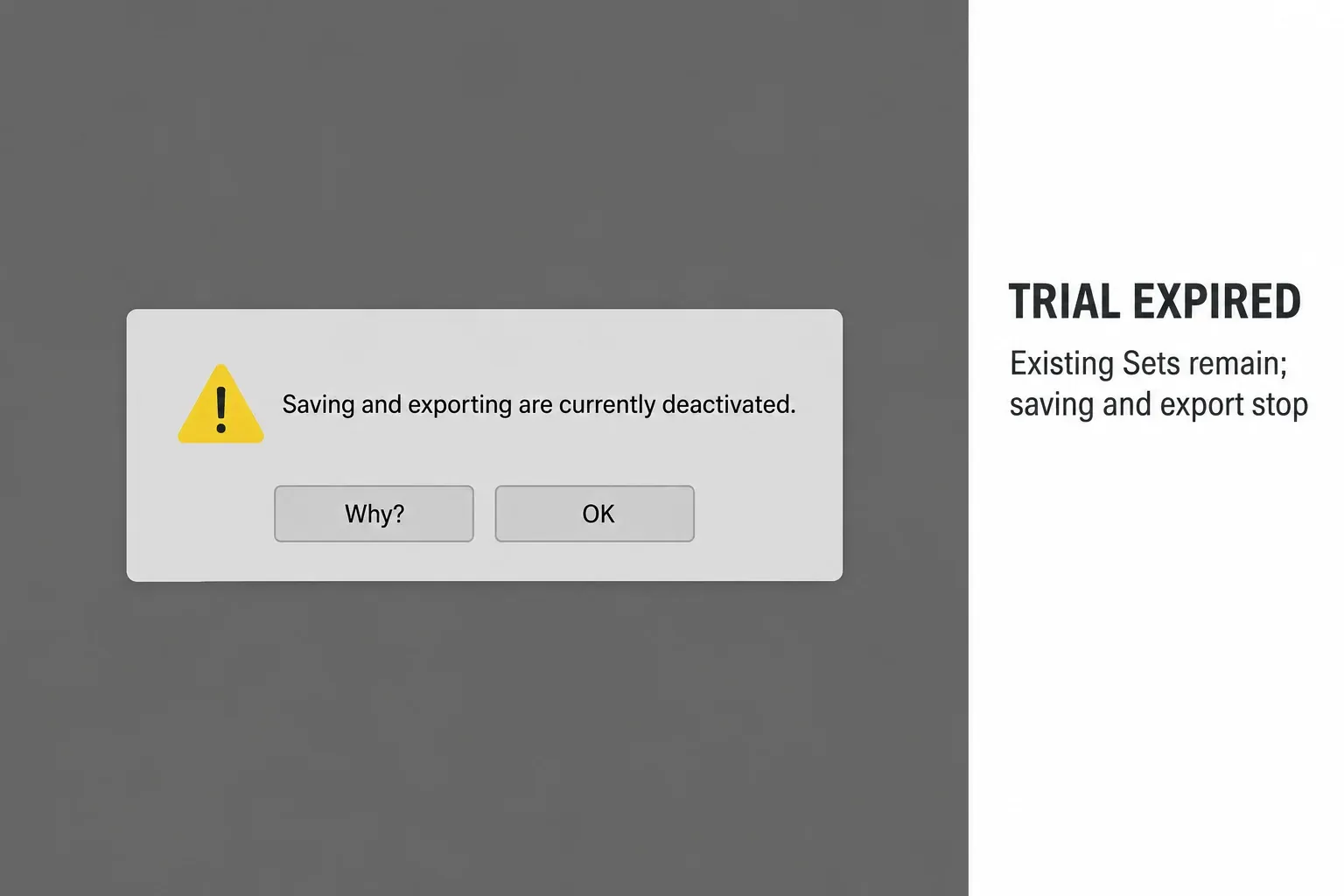
The expired Trial can still open its saved Sets, but cannot save changes or export audio. It does not automatically charge you. A separately installed paid edition can open saved Trial Sets made with an equivalent or older Live version; unavailable devices and edition limits still need attention.
An unsaved Set is different from a saved project that opens with an edition warning. Purchasing Live after expiry does not unlock saving for the unsaved Trial session. If that session is still open, avoid closing it or restarting the computer before considering the audio-capture option below.
Already expired with an unsaved Set open?
If the Set still plays, Ableton’s post-Trial recovery guidance suggests recording its playback in another audio application. This preserves audio, not the editable ALS project, MIDI notes or device settings. Use a capture route you already know, test a short recording, then check the recorded file before closing Live. If no capture route is available, ask Support before changing the setup around the only open copy.
If an ALS file was saved before expiry, work from a duplicate of that file in the separately installed paid edition. A Suite-feature warning there has a different remedy: remove or commit the unavailable devices, resolve edition limits, then re-authorize that paid installation. It does not require recovering the unsaved Trial window.
Your Set files and recordings do not disappear
Expiry does not delete previously saved ALS files or audio files. Keep the project and its media together. Before expiry, use Collect All and Save to gather referenced samples, then reopen that copy. Ableton’s project-transfer guidance explains that this does not bundle third-party plug-ins; collecting media also does not grant a missing device license.
Export a full-resolution mix and the stems you may need later. The Ableton stem-export workflow explains routing and tail checks. These audio files do not replace the editable Set, but they preserve the sound of a device chain if the edition you buy cannot authorize it.
Suite-only devices are the real downgrade risk
A Trial Set can contain devices or capabilities outside Intro or Standard. An unavailable device can block saving and exporting in the paid installation. Intro and Lite also have lower track and scene limits; rendering an instrument does not by itself bring an oversized Set within those limits.
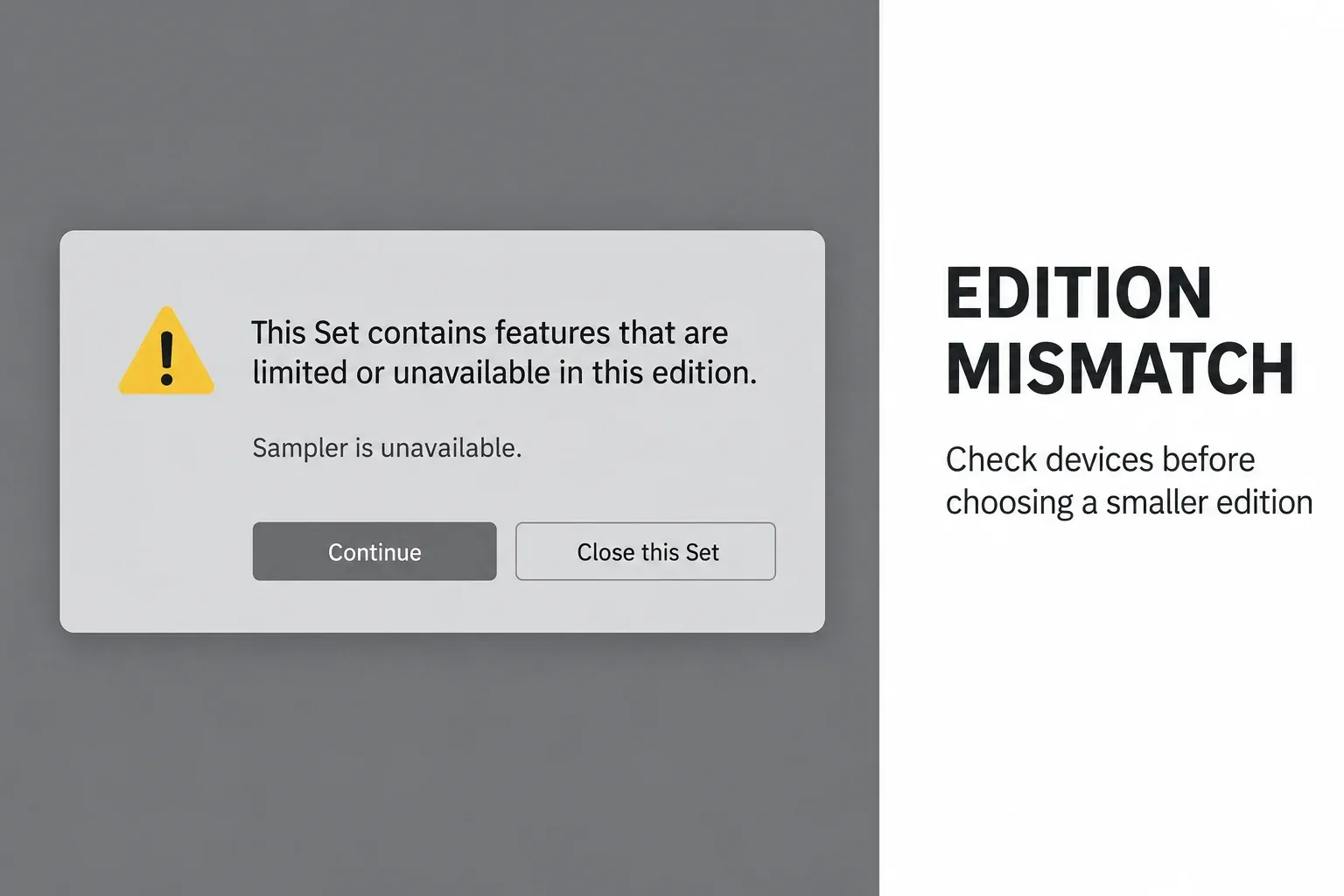
The illustration uses an older Live 11 Standard dialog. Check your own installation’s warning against the current edition comparison, then inspect every track, Return, Main track and nested Rack chain. Ableton’s saving-and-exporting troubleshooting requires unavailable devices to be removed or licensed. The Lite versus Intro guide explains the smaller editions separately.
Commit sounds before moving to Intro or Standard
Prepare a separate handoff copy while the Trial can still save. In Live 12.2 and later, use Bounce Track(s) in Place; in Live 12.1 and earlier, use Freeze and Flatten. Ableton documents that boundary in Committing Audio in Live. Freeze alone keeps the devices in the Set. Bounce to New Track also leaves the source track, so it is not a complete substitute for removing an unavailable device.
- Save the original Trial Set with a clear name, then use Save Live Set As to create a separate handoff copy. Keep the unmodified original.
- Before changing devices, export a reference mix and any essential stems while saving and exporting are available.
- In the handoff copy, select an affected Audio or MIDI track and right-click its header. Use Bounce Track(s) in Place in Live 12.2 or later; in Live 12.1 or earlier, use Freeze Track followed by Flatten. Listen to the result before continuing.
- Check Return, Main and nested Rack chains separately. Preserve any needed bus processing in an appropriate audio export before removing an unavailable device; a normal track bounce is not a render of the whole mix.
- Check the destination edition’s track and scene limits. Remove excess tracks or scenes only from the handoff copy after preserving their required audio.
- Use Collect All and Save on the handoff copy and retain its complete project folder, including the newly rendered audio.
- Download, install and authorize the paid edition separately. Use the same Live version as the saved Trial Set or a compatible newer version.
- Open the handoff copy in the paid application. If saving remains deactivated after removing all unavailable features and resolving limits, re-authorize via Settings → Licenses & Updates → Authorize at ableton.com. Confirm Save and Export, then compare a test export with the reference.
In-place bouncing replaces the selected track’s original clips and devices. It does not make the original MIDI or device controls editable in the resulting audio. Keep the separate original for future revisions. For choosing a render method and checking what it includes, use the Freeze, Flatten and Bounce guide. Sends and Main processing need their own routing check; do not assume they are embedded in an ordinary track bounce.
Test the Trial against a purchase checklist
Run these checks on a project that resembles your usual work:
- Can you record and monitor through your real interface without an unstable workaround?
- Does Session View help, or do you work almost entirely on a linear timeline?
- Which Suite-only instruments, effects, Packs or Max devices did you actually use twice?
- Can your normal project open, edit and export at the required latency and CPU load?
- Can you exchange stems or Sets with collaborators without missing devices?
- Would Intro or Standard complete the same weekly work after committing a few tracks?
Use the Choose Ableton Live hub to compare editions after the test. Keep a short list of devices you would miss and tracks you are willing to commit; this gives the purchase decision a concrete basis.
Keep the Trial test light on CPU, RAM and disk
CPU: test the devices loaded in your real Set. Suite’s catalog is not a measurement of processing load. If one track struggles, compare its playback before and after freezing; keep the original available for editing.
RAM: sample-heavy instruments, the Set and other applications all matter. Start with a small project, close unused applications after saving their work, then test a representative project. An empty Set alone cannot tell you how your normal sessions will perform.
Disk: the dedicated Live 12 requirements page currently lists approximately 6 GB for Windows, 8 GB for Intel Macs and 10 GB for Apple silicon, plus up to 76 GB of optional sounds. The Trial landing page still shows about 5.7 GB for Windows and 8 GB for macOS without that chip distinction. Use the platform-specific requirements when planning space and leave extra room for recordings, renders and installation work.
Install only the Packs needed for the test. Optional sound-library size is disk space, not automatic RAM usage. Bouncing may reduce device processing but creates audio files, so keep enough disk headroom and do not remove the only editable project to save space.
FAQ
How long is the Ableton Live 12 free trial?
The current Live 12 Trial lasts 30 days from authorization. Downloading the installer alone does not start that period.
Can I save and export during the Ableton Trial?
Yes. The current Live 12 Suite Trial enables saving and exporting during the active 30-day period.
What happens to my Ableton projects after the trial?
Saved Trial Sets remain on disk and can still open in the Trial, but the expired Trial cannot save or export. A compatible paid edition can open saved Sets.
Will Ableton charge me when the trial ends?
No. Ableton says no payment card is required and you are not automatically charged when the Trial expires.
Can I buy Standard after trying Suite?
Yes. Check the Trial Set for devices and limits outside Standard, preserve required sounds, and remove or license unavailable features. Freeze alone is not enough. Re-authorize the separately installed paid edition after resolving those restrictions.
Can I save an unsaved Set after the Trial expires?
Not as an editable Trial Set: buying Live afterward does not enable saving that unsaved session. If it still plays, recording the playback in another audio application may preserve the audio, but not the editable project.
Can I authorize the Ableton Trial offline?
No. Trial authorization requires an internet connection. If the browser handoff fails, try another browser or contact Ableton Support; paid Live’s offline-authorization method does not apply to Trial.
Can I use the Ableton Trial a second time?
Ableton states that a Trial can only be used once. Reinstalling the application is not a new Trial period.