Workflow
From loops to a finished, exported track: arranging, committing, exporting and project hygiene.
Turn useful loops into decisions
Most Ableton workflow problems are not missing shortcuts. They are unresolved decisions: ten versions of the same clip, devices left live long after the sound is settled, automation spread across views, and an arrangement that never receives a clear beginning or ending. A faster workflow is the one that makes the next decision visible.
This hub follows a project from capture to delivery. It covers the handoff from Session View to Arrangement, track and scene naming, comping, freezing, flattening, bouncing, collecting external files and building an export that can be reopened months later. Each operation is explained by what remains editable, what becomes audio and what another computer will need.
Three useful checkpoints
- Sketch: keep variations cheap and avoid premature polish.
- Arrangement: commit structure, remove duplicate ideas and make transitions audible.
- Delivery: consolidate, collect files, document versions and export from a known signal path.
The goal is not a universal template. It is a project that remains understandable after the excitement of the first session is gone.
Published guides
 Ableton Templates: Build a Fast Default Set Without Broken ProjectsSep 22, 2026 · 6 min readBuild a lean Ableton Default Set, purpose-specific Template Sets and portable project copies without stale routing, missing samples or hidden plug-in dependencies.
 Focusrite Line vs Inst in Ableton: Which Input Mode to UseSep 22, 2026 · 6 min readUse Inst for a guitar or bass plugged directly into a Focusrite. Use Line for synths, drum machines, mixers, preamps and documented line outputs.
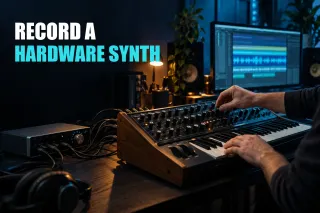 Record a Hardware Synth in Ableton LiveSep 17, 2026 · 7 min readTreat a hardware synth as two routes: MIDI out of Live to the synth, audio back through the interface. Prove each one, pick a single monitoring path, then print the return to audio while keeping the MIDI editable.
 Change Tempo in Ableton Without Breaking AudioAug 30, 2026 · 9 min readChoose whether audio should follow the Set, keep its original speed or change pitch like tape before moving Ableton Live’s global tempo.
 Record Guitar in Ableton Live: Input, Monitoring and Amp PathsAug 30, 2026 · 10 min readChoose the right guitar input, hear one monitoring path, record a clean DI safely and add Ableton Amp without printing an unrecoverable tone.
 How to Arrange a Song in Ableton Live Without Adding More LoopsAug 29, 2026 · 8 min readTurn an overfilled loop into readable song sections by deciding each part's role, reducing density and automating only the transitions that need motion.
 Comp Vocals in Ableton Live: Take Lanes to a Clean PerformanceAug 29, 2026 · 8 min readTurn multiple vocal takes into one believable performance without deleting the source lanes or hiding weak edit boundaries under processing.
 Record Vocals in Ableton Live 12: Input, Monitoring, Latency, and LevelsAug 29, 2026 · 10 min readTrace the microphone to the clip, choose direct or software monitoring, control latency and set recording gain from the singer's loudest passage.