Perform
Getting a set out of the studio: Push, Move, controllers, sync, mapping and the stage.
Design the set around failure, not the rehearsal fantasy
A stage set has different priorities from a studio project. A device that is acceptable at 85 percent CPU in the studio is not a safe choice when the interface, controller and network all have to reconnect under time pressure. The performance version needs headroom, predictable routing, visible recovery points and a plan for the moment one component disappears.
These guides cover Push, Move, MIDI mapping, Link, cue routing, scene organisation and the practical construction of a Live performance set. They distinguish a convenience from a dependency: a controller may speed up a transition, but the set should still have a clear fallback if that controller stops responding.
Reliability checks
- Keep one obvious Stop-All path and label every output that reaches the room.
- Use consistent return tracks and controller mappings across songs.
- Freeze or bounce unstable chains while preserving an editable studio copy.
- Test reconnection, sleep/wake, interface removal and the exact show startup order.
- Carry a backup set and the files it actually references.
Hardware and network claims are tied to the tested devices and software versions instead of being presented as universal.
Published guides
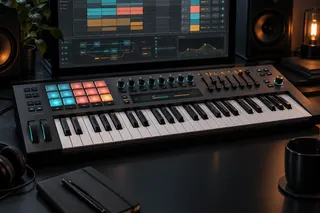 Best MIDI Keyboard for Ableton Live: 5 Picks by Use CaseSep 22, 2026 · 7 min readChoose a MIDI keyboard for Ableton Live by key range, Session View control, desk space and hardware MIDI needs, with five task-specific picks.
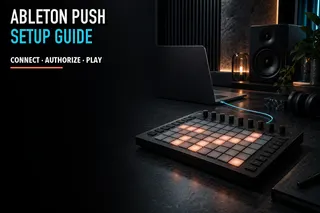 Ableton Push Setup: Push 3 Controller, Standalone and Push 2Sep 22, 2026 · 7 min readSet up Push 3 in controller or standalone mode, connect Push 2 correctly, identify the right Live ports and avoid obsolete Control Surface advice.
 Ableton Link vs Link Audio: Sync, Stream and Choose the Right ToolAug 30, 2026 · 9 min readTell Link timing apart from Link Audio streaming, check Push 3 standalone compatibility, and choose central monitoring or record-only capture without hearing everything twice.
 Live Looping in Ableton: Looper, Quantization and Safe RoutingAug 30, 2026 · 9 min readRecord, overdub and stop loops on musical boundaries, map one dependable foot control, and prevent double monitoring or accidental buffer loss.
 Push 3 Won't Connect to Live: USB, Network and Firmware ChecksAug 29, 2026 · 8 min readIdentify whether Push 3 is failing over USB control or standalone networking, then test the cable, mode, update and network in the right order.
 Follow Actions in Ableton Live: Reliable Clip and Scene MovementAug 29, 2026 · 7 min readMove between clips and scenes on time, use probability without losing control, and build a Follow Action chain with a manual recovery path.
 Ableton Crossfader and Cue Routing for a DJ SetAug 29, 2026 · 9 min readKeep headphone previews out of the audience mix: verify independent outputs, mute the deck’s public paths, and test crossfader assignments and return tails.
 MIDI Mapping Ableton Live for Performance: Safe Controls and RangesAug 29, 2026 · 7 min readChoose mappings by failure consequence, bound continuous controls and rehearse every critical action with a fallback.
 Build an Ableton Live Performance Set: Scenes, Backing Tracks, Clicks, and CuesAug 29, 2026 · 10 min readKeep music and band cues on separate outputs, use consistent scene and track layouts, and rehearse how to mute playback and restart if something fails.